Calorie and macro tracking for iPhone
Your nutrition, in one clear view.
Log meals from a photo. Follow your calories, macros, eating window, water and weight throughout the day.
5 free AI meal scans a day · iOS 18 or later
Early day
Your daily targets, ready to follow.
Follow your calories and macros as meals are added to your day.
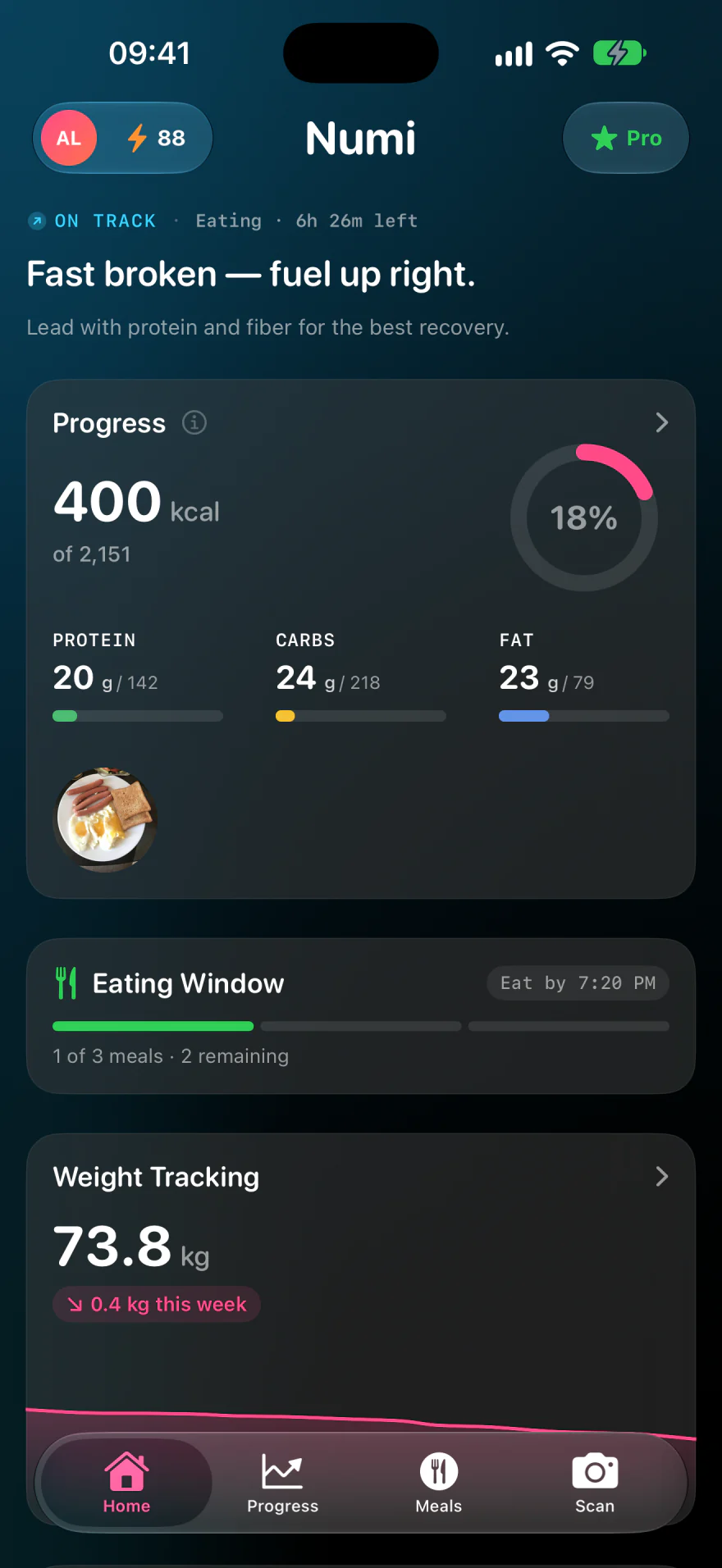
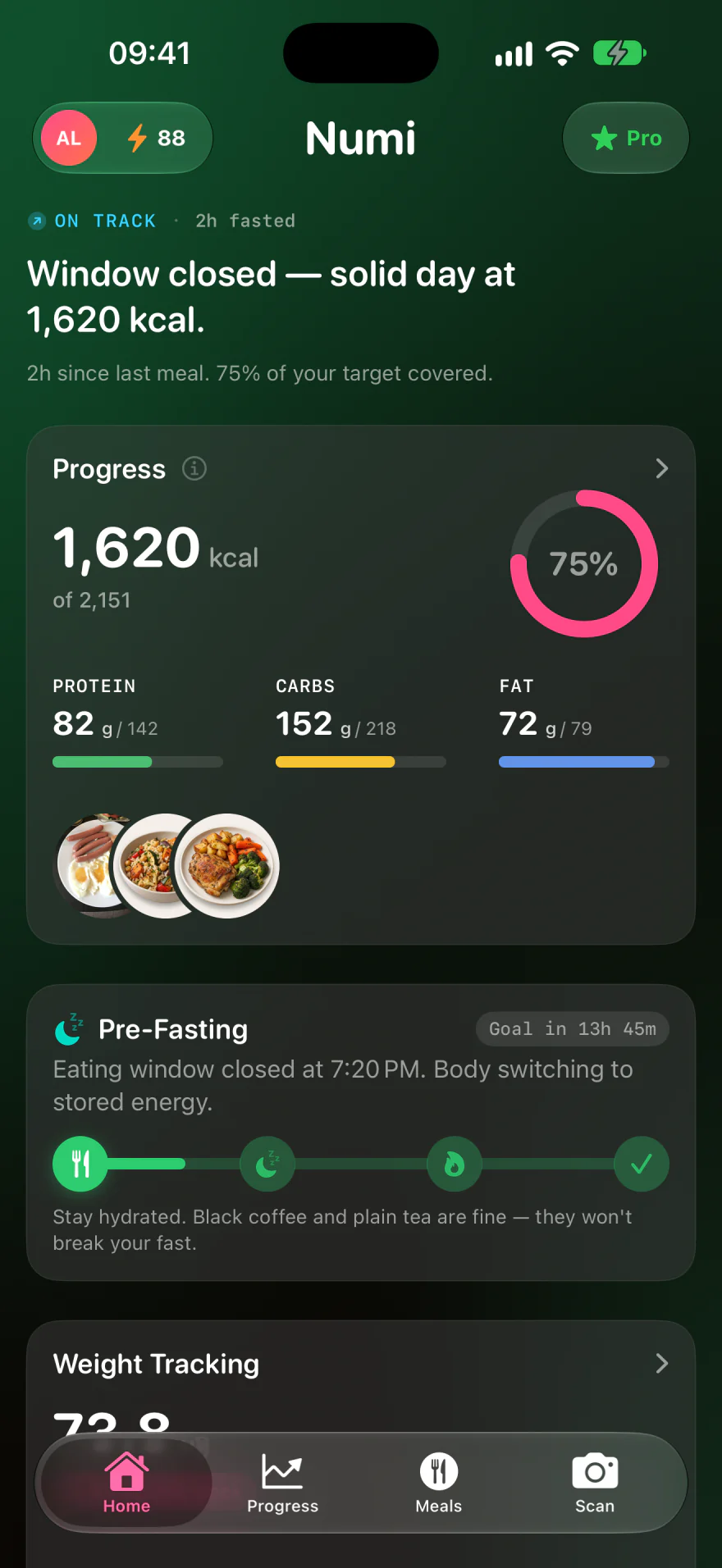
On track
Your day, in one clear view.
Review your logged nutrition, eating-window timing and weight tracking together.
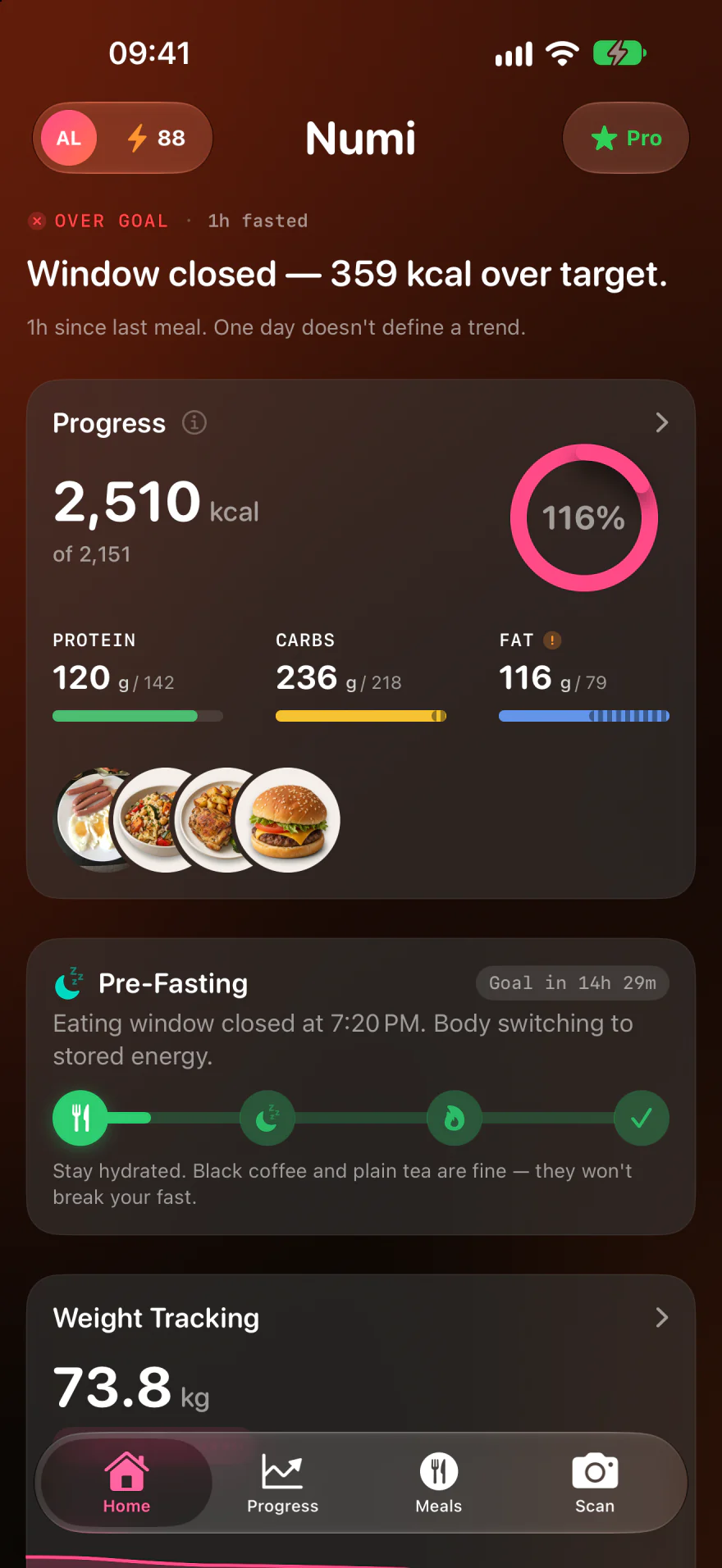
Over target
See when your totals pass a target.
Review the nutrition you’ve logged against your daily targets.
Explore Numi
Take a closer look at Numi.
From your next meal to your weekly progress.
Your day
Know where your day stands.
See your logged calories and macros alongside your daily targets.
Find your approach to tracking
Meals
Log meals your way.
Take a photo, scan a barcode or describe a meal. Review the result, then save it to your day.
Explore food logging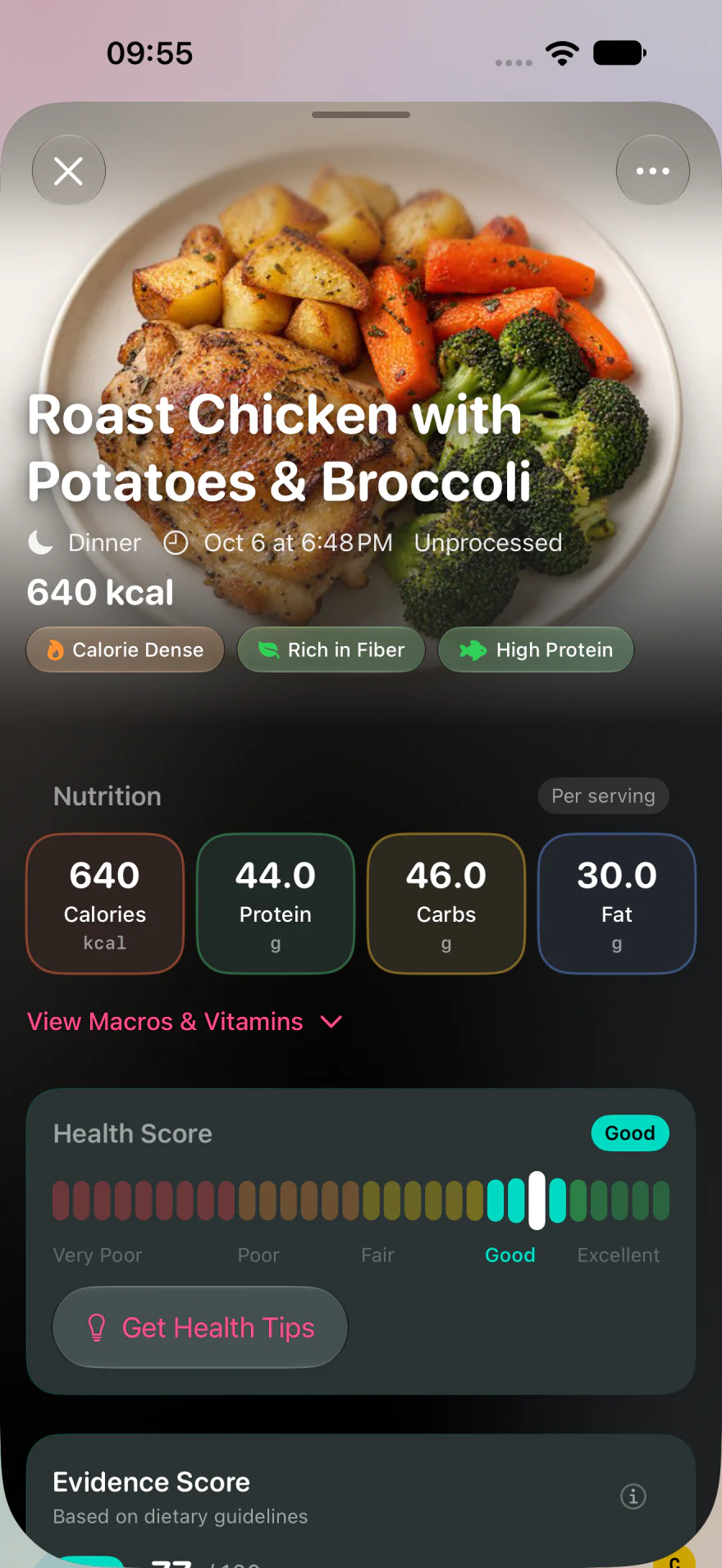
Fasting
Your eating window, in view.
Follow your eating window and fasting time, with progress toward your chosen duration.
See the timing states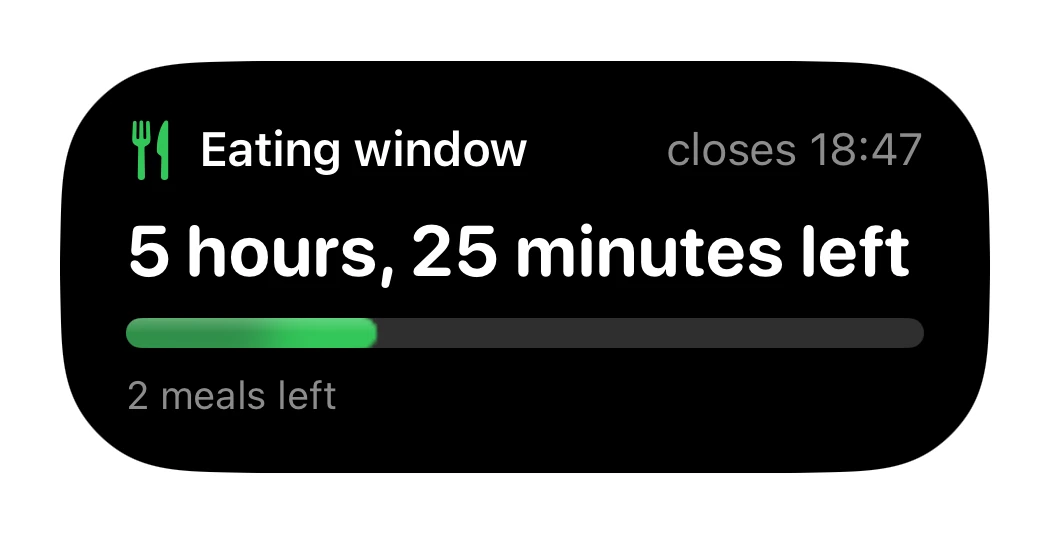
Water
Keep track of your water.
Record what you drink and see your progress toward your daily water target.
Start tracking with Numi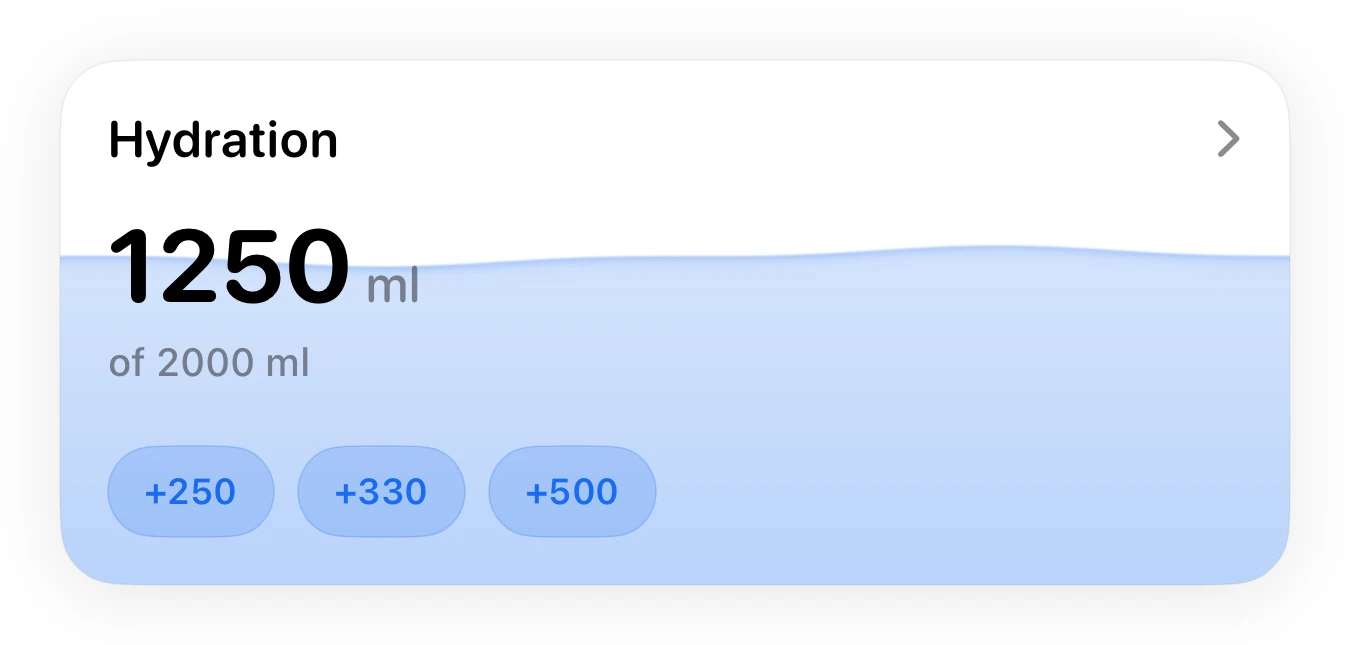
Weight
Follow your weight over time.
Log your weight, review the trend and track progress toward your chosen goal.
Keep your records in one place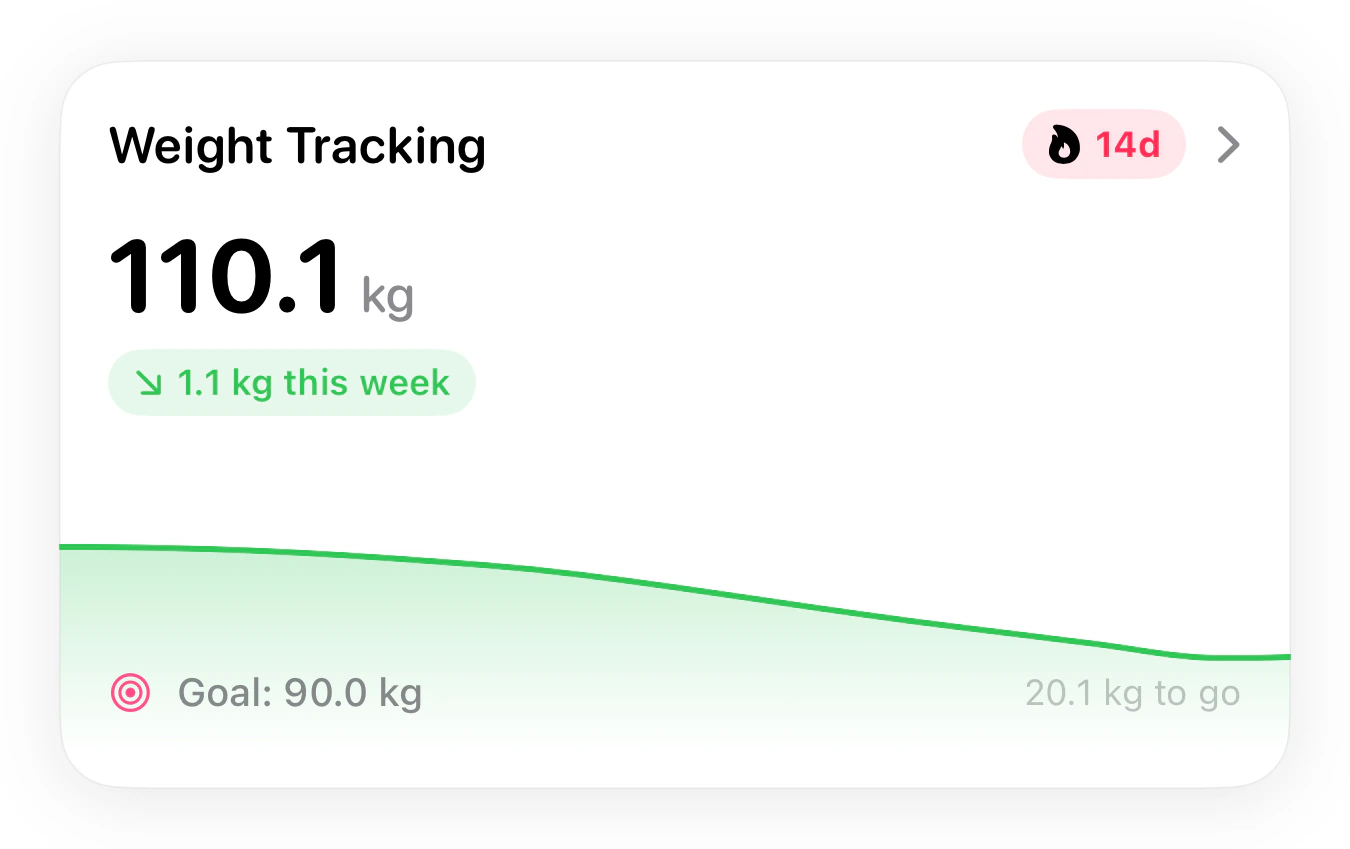
Progress PRO
See the pattern across your week. PRO
Review your nutrition, meal timing and logging patterns. Read a Weekly Report as you build your history.
Explore weekly progress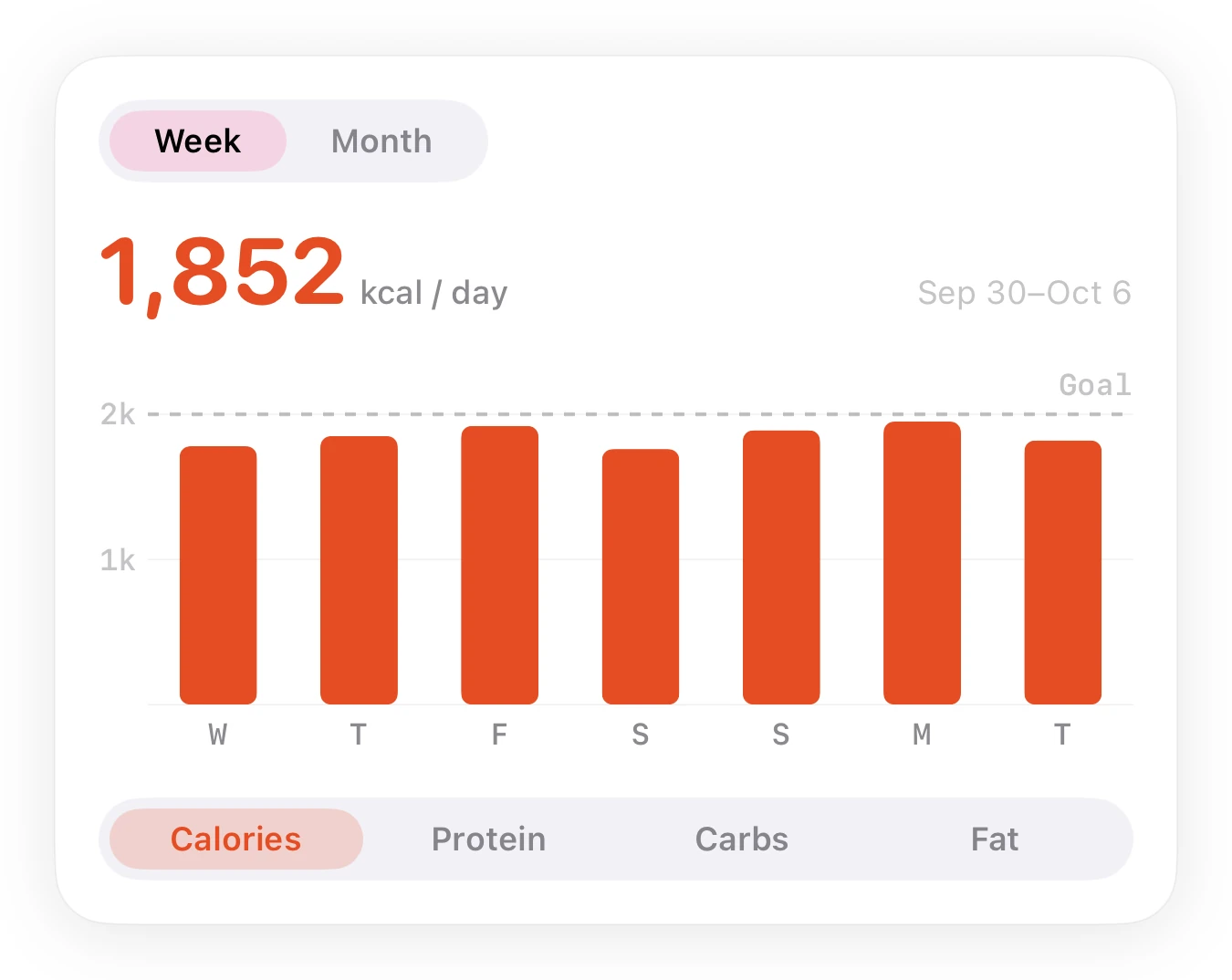
Your log, connected to Apple Health. Choose the permissions you want to share energy, nutrients, water and weight with Health.
Set up Apple Health sharingMeal history
Every meal, in context.
Keep the meals you’ve logged in one place. Review the photos and nutrition, then look back at what made up your day.
Explore food logging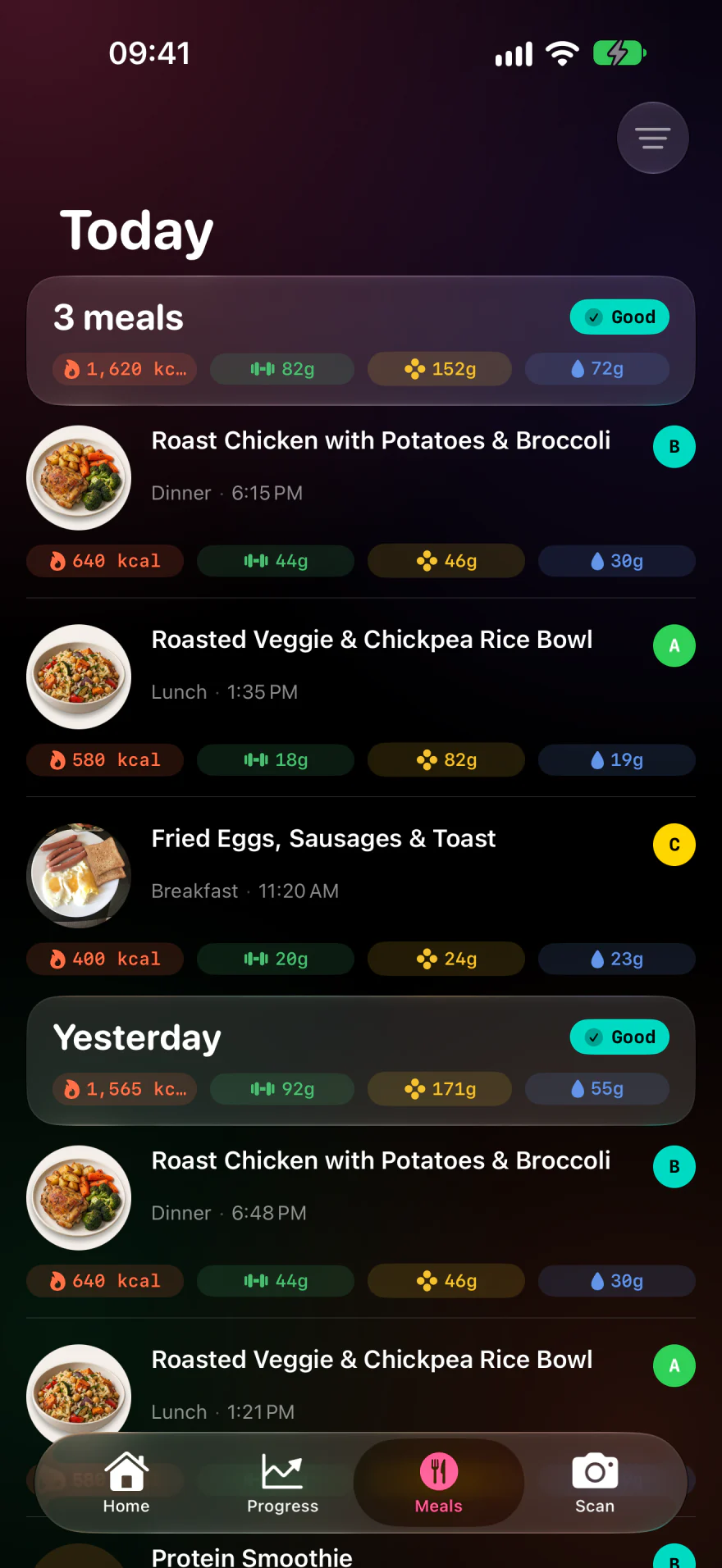
Weekly progress PRO
See the pattern across your week.
Go deeper into the nutrition, timing and consistency behind your logged days.
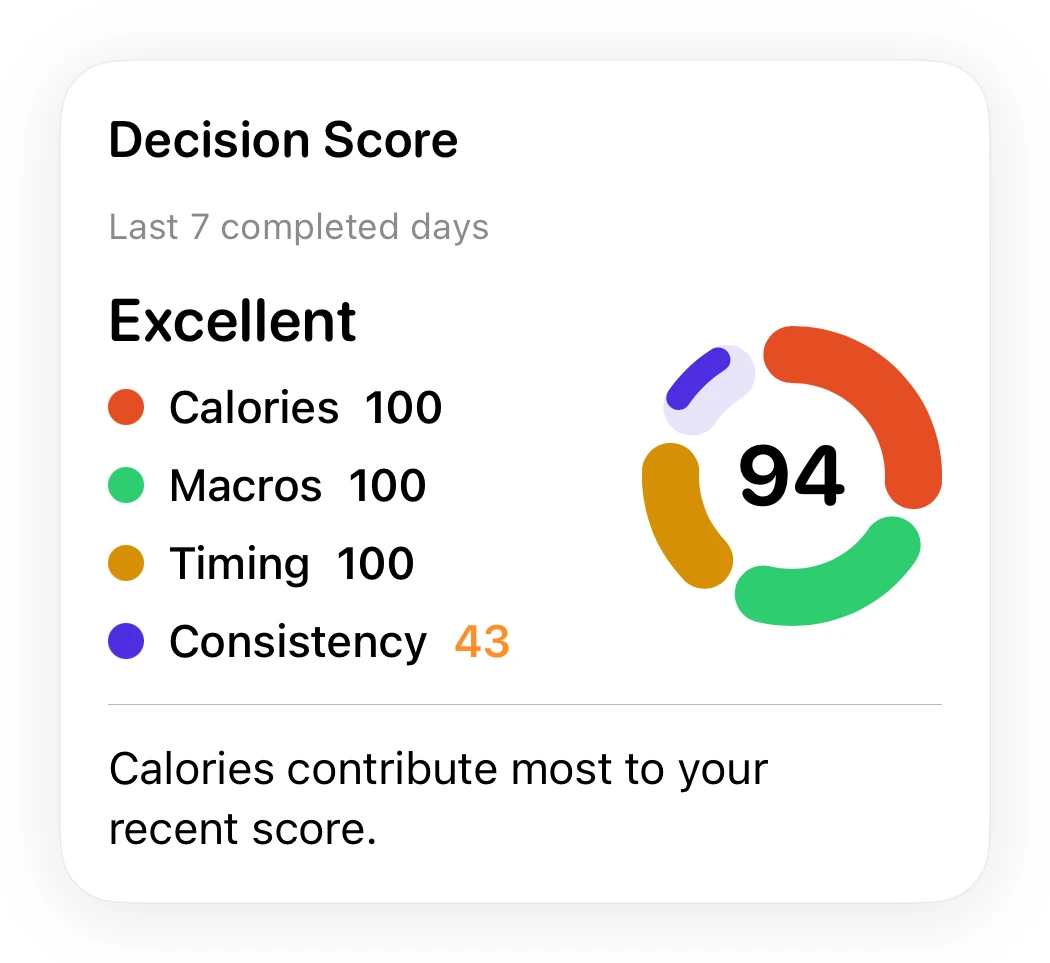
Calories, macros and consistency
Review the components behind your Decision Score.
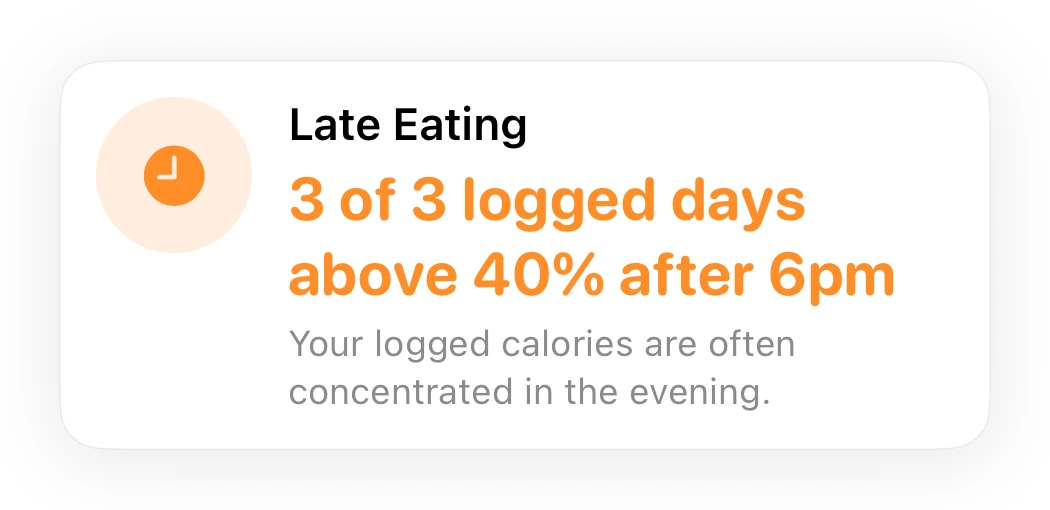
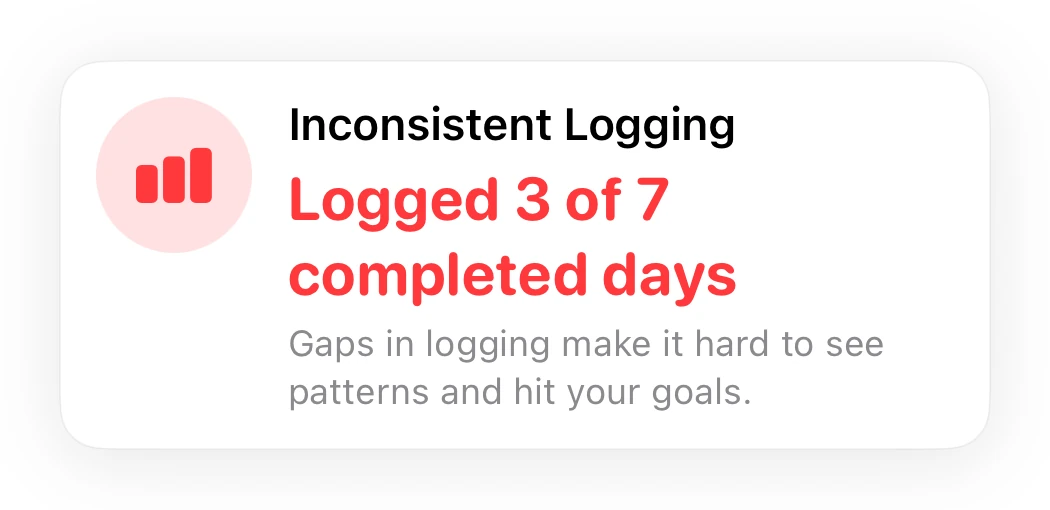
Patterns across logged days
Read the context behind recurring meal timing and gaps in your food log.
Numi Pro also includes a Weekly Report with a written summary of your week. Reports and insights need enough logged history to be useful.
Live Activity
Your eating window and fasting time.
Updated Live Activity design coming in Numi 1.1
Fasting in progress
Fasting in progress
Follow elapsed time and progress toward your fasting goal.
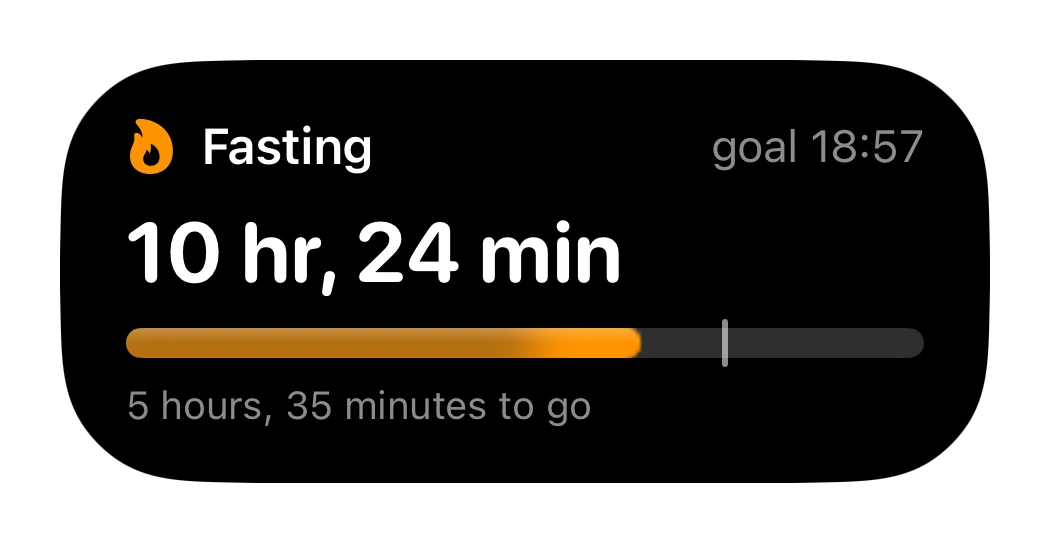
Eating window open
Eating window open
See when your window closes, with a countdown and meals remaining.
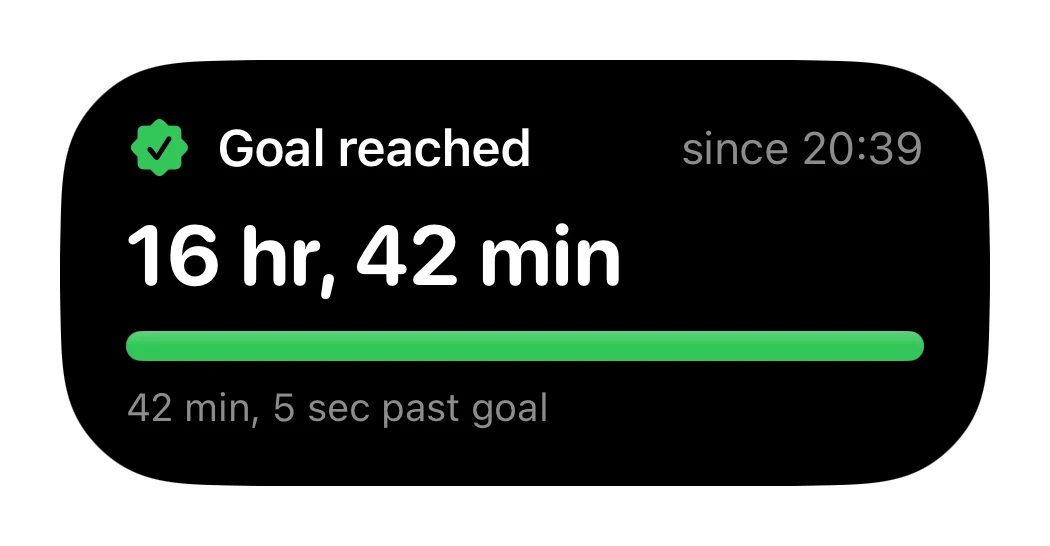
Goal reached
Goal reached
See your total fasting time and time past your chosen goal.
Get Numi
Start with your next meal.
Numi, free
Start a food log and see how your day adds up.
- 5 AI meal scans each day
- Calorie and macro tracking
- Fasting, water and weight tracking
Numi Pro
More scans and a fuller view of your progress.
- Unlimited AI meal scans
- Full Progress insights
- Weekly Report

For iPhone with iOS 18 or later. Pro is optional. Subscription prices and terms are shown in the app before you buy.
Questions
Before you start.
What to expect from photo estimates, the free plan and your data.
How accurate are photo calorie estimates?
A photo gives you an estimate, not a measurement. Clearly visible foods are easier to recognise; cooking oil, sauces and hidden ingredients are harder to see. Review the recognised foods and estimated portions before tapping Log Meal. For packaged food, you can scan a barcode instead.
What does Numi cost?
Numi is free to download, with 5 AI meal scans each day. Numi Pro is an optional auto-renewing subscription with unlimited AI scans and the full Progress and Weekly Report features. Prices and subscription terms are shown in the app before purchase. You can manage or cancel your subscription in your Apple Account settings. See our Terms of Use.
Is my food and health data private?
Numi does not sell your personal or health information or share it with advertisers. Meal photos are sent to OpenAI for analysis and saved privately with your meal history. GPS metadata is removed before upload. Numi does not use meal photos or food logs to train AI models. See our Privacy Policy for storage, processing and deletion details.
How does Apple Health sharing work?
You choose which Apple Health permissions to allow. With those permissions, Numi can share logged energy, nutrients, water and weight with Health and read supported health information. Manage access in Apple Health. Numi’s Apple Health setting opens Health when connected. Read the Apple Health setup guide.
Which devices and languages does Numi support?
Numi is built for iPhone and requires iOS 18 or later. It is available in English, Russian and Ukrainian. Widget sizes, Live Activities and other system features depend on your device and iOS version. Check the App Store listing for current compatibility.
Do I have to type every meal?
No. Take a photo, scan a barcode or describe a meal in words. Numi proposes the foods and nutrition, then you review the result and tap Log Meal to add it to your day. Saved meals and favourites make repeat logging quicker.
How are my calorie and macro targets set?
Numi estimates your calorie needs from your age, height, weight, sex, activity and goal. Protein targets also account for body weight and your chosen pace; carbs and fat use the remaining energy. These are estimates you can review. Adaptive maintenance is a trend insight based on intake and weight history; it does not automatically rewrite your daily targets.
Does Numi support intermittent fasting?
Yes. Choose an eating window to follow your fasting and eating times in the app. A Lock Screen Live Activity can keep the timing visible. Any fasting stages shown are based on elapsed time; they do not measure what is happening inside your body.
When is a Weekly Report available?
Weekly Report is a Numi Pro feature and needs enough logged meals to produce a useful summary. Progress also uses your available food and weight history, so insights change as you build a record.
What is Numi?
Numi is an independent iPhone app for photo food logging, calorie and macro tracking, fasting windows, hydration and weight tracking. On the App Store it is called Numi — Eat with clarity.
Is Numi a medical app?
Numi is a wellness and nutrition awareness tool, not a medical device. It does not diagnose, treat or manage health conditions or measure blood sugar, ketones or metabolism. For a health condition or a specific dietary requirement, speak to a qualified healthcare professional.
Is this NuMi by Nutrisystem?
No. Numi at getnumi.app is an independent iPhone app. It is not affiliated with Nutrisystem, Numi Organic Tea or the Numi calculator for Mac.
Get more from your food log.
Track a meal from a photo
See how photo, barcode and text logging work in Numi.
Connect to Apple Health
Choose permissions and check your logged nutrition in Health.
Review a calorie estimate
Check foods, hidden ingredients and portions before you log.
Choose a macro tracker
Compare logging methods with the meals you actually eat.