Photo food logging
A photo calorie tracker for iPhone.
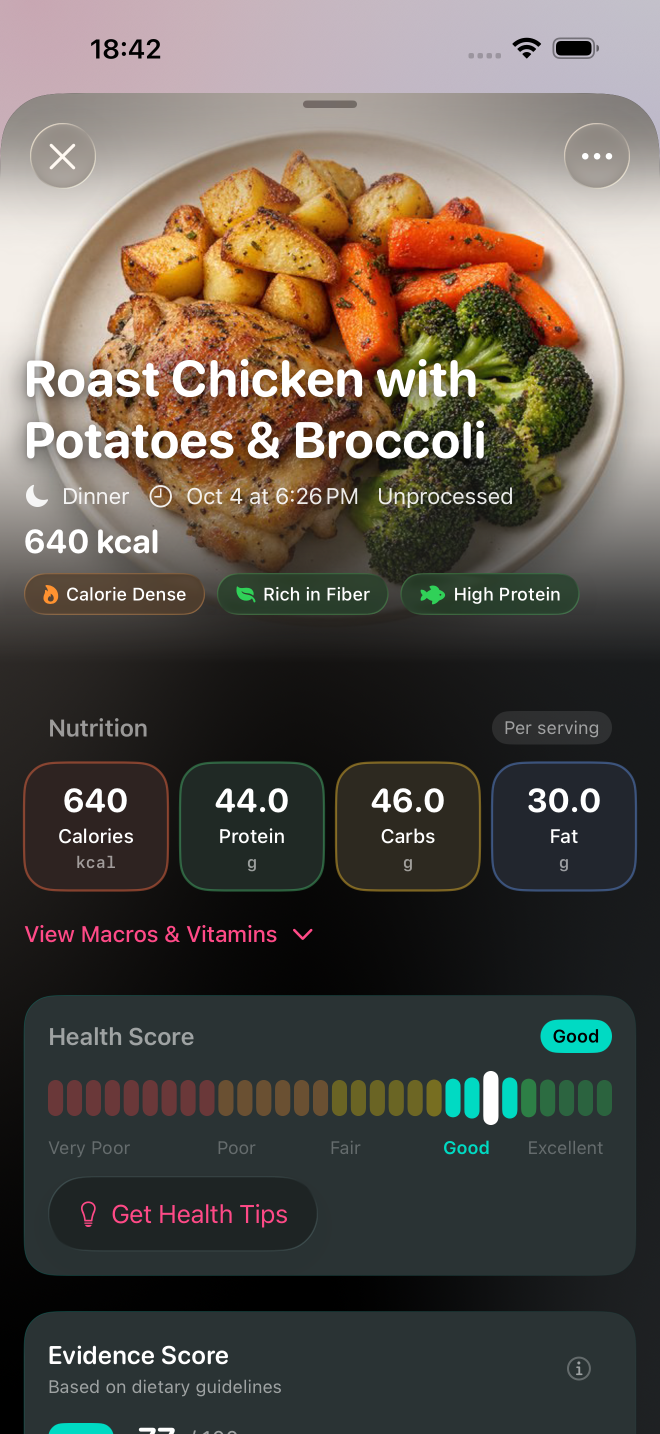
Take a photo of your meal and Numi estimates calories, protein, carbs and fat. Review what it recognised, adjust available portions in grams, and see how the meal fits your day. When a photo is less useful, scan a barcode or describe what you ate.

5 free AI scans a dayiPhone · iOS 18+ · Optional Pro
From a meal photo to a useful food log.
- Photograph the meal. Open Numi's camera and take a picture. Make the food visible so you can compare the result with what is on your plate.
- Review the estimate. Numi identifies foods and estimates their portions and nutrition. Check the recognised foods and recorded amounts before relying on the total.
- Adjust portions when needed. Available portions can be changed in grams. Confirm the change and review the revised estimate.
- Log the reviewed meal. Tap Log Meal to save it to your history and daily totals. Saving a later portion edit updates an existing logged meal.
For example, a plate of chicken, rice and vegetables can be split into its parts. If the rice portion is recorded as 200 grams and you know you ate 150 grams, adjust that amount. The photo starts the log; your review makes it more specific to the meal you ate.
Photo, barcode or text: choose what fits.
Use a photo for a visible meal. A breakfast plate, lunch bowl or restaurant dish gives Numi a starting point for identifying foods and estimating portions.
Use a barcode for packaged food. Scan the product rather than asking a photo to identify the exact yoghurt, cereal or snack. Check the result against the package and the amount you ate.
Use text when you need to describe the meal. A sentence such as “two eggs, toast with butter and a coffee with milk” gives information that may be difficult to see in a picture.
A photo gives you an estimate.
Cooking oil, sauces and ingredients hidden inside a dish are difficult to see. A photograph also cannot measure the weight of your food. Clearly visible, common dishes are easier to recognise than meals with several foods mixed together.
At a restaurant, review the dish and portion rather than treating the first number as exact. At home, use the ingredients and amounts you know when describing a meal. Portion editing can change a recorded amount; it cannot reveal an ingredient the camera could not see. Treat the calories and macros as estimates, not laboratory measurements.
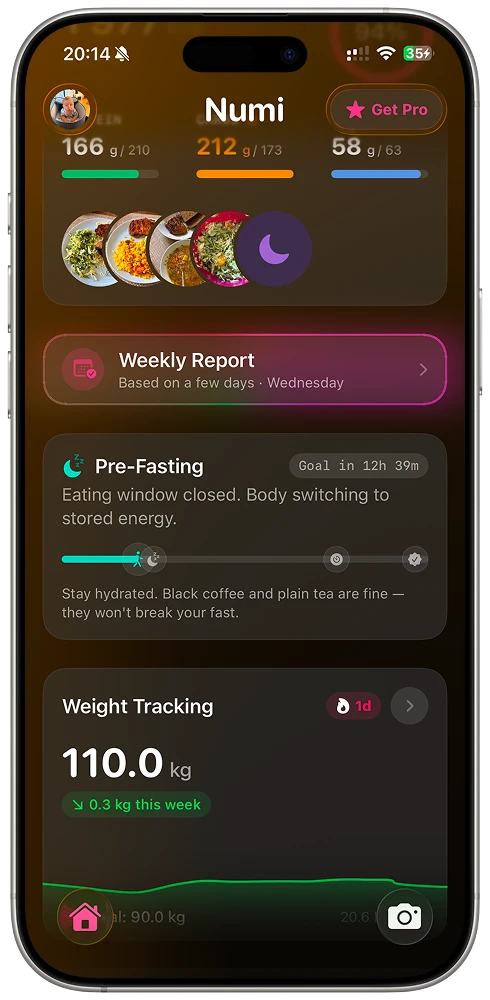
See the meal alongside your day.
Numi brings your food log together with personal calorie and macro targets, hydration, fasting windows and weight trend. Meal Highlights and the Weekly Report help you read the patterns across your meals.
Numi also syncs with Apple Health, including weight, water, energy and nutrients, so your nutrition can sit alongside your other health data. See how to track calories and macros with Apple Health.
No ads. Numi Pro removes the daily scan limit and unlocks full Progress and Weekly Report features. Subscription prices and terms are shown in the app before you buy.